
Comprehensive Step-by-Step Guide for the Partner Portal Security Wizard
This document helps a partner with steps to follow and prerequisites to keep in mind, once the security wizard is enabled for them on partner portal. The security wizard will help them make their Gupshup platforms secure and safe.
STEPS OVERVIEW
The major steps in the wizard include the below -
First 3 steps will keep the partner portal inaccessible for all partner portal users, till they are completed -
- Mandatory password reset of all Partner Portal users
- Mandatory MFA set via authenticator of all Partner portal users
- [MINOR CHANGE NEEDED IN YOUR SYSTEMS] Mandatory migration of partner token generation method - from username/password you move to client secret.
Developers must set/reset client secret as per desired expiry (recommended : 3 months).
Non-developers must set/reset client secret for immediate expiry.
Admin can get the visibility of their partner portal users activities on above steps to guide them further. They must revoke users too if the users will no longer be working on Gupshup partner portal.
From next step onwards, the partner portal becomes accessible again. Below steps 4, 5 and 6 are only applicable for the admin- recommended to finish at the earliest.
- Submitting a public key to Gupshup followed by JWT test
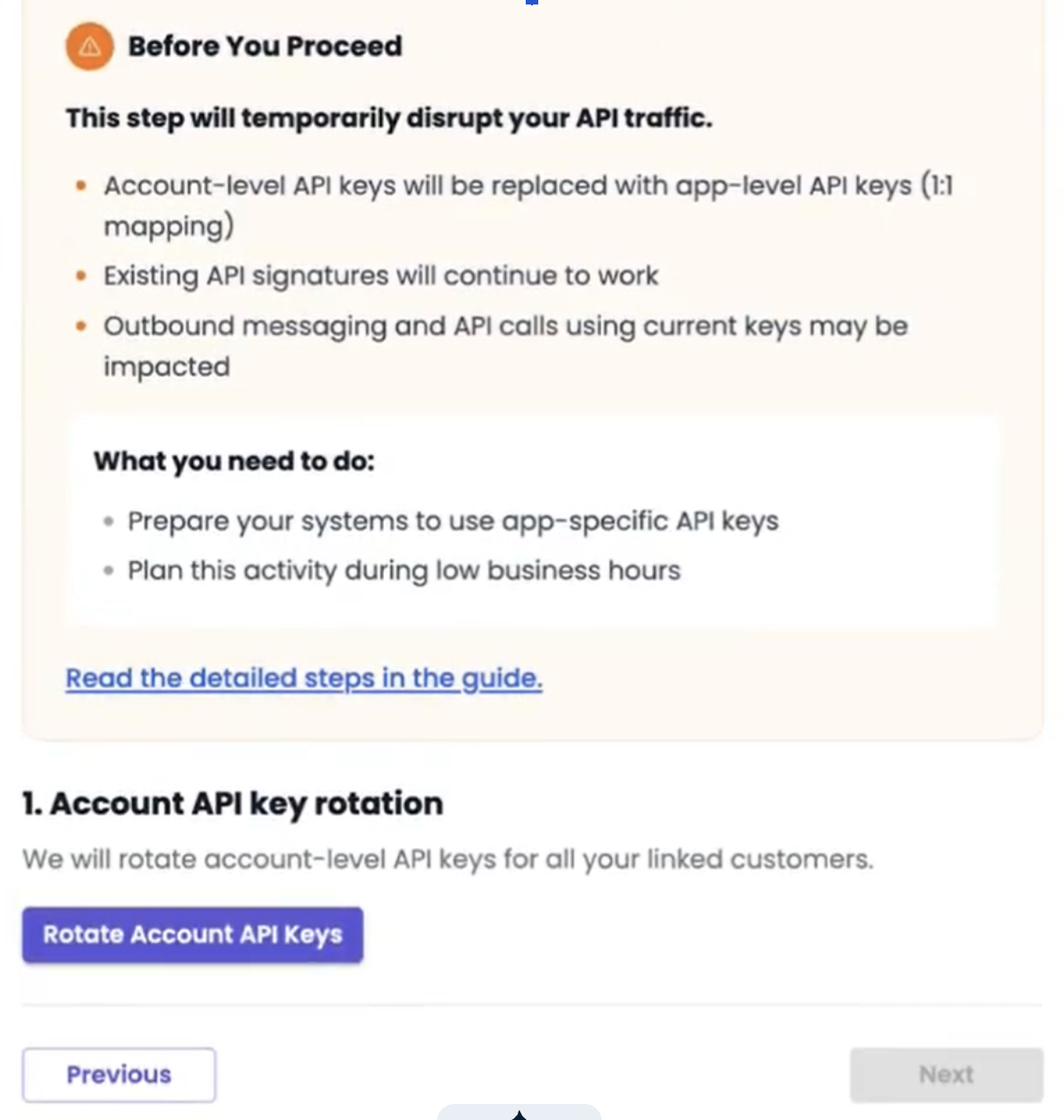
- [DISRUPTIVE] Bulk Account level API key rotation for all linked apps
- [DISRUPTIVE] Bulk App level API key & partner app token rotation for all linked apps
In parallel from 1st step, below steps will also be required in gupshup.ai before the gupshup.ai portal can be used further.
- Mandatory password reset of all linked gupshup.ai accounts
- Mandatory MFA set via authenticator of all linked gupshup.ai accounts
PRE-REQUISITES
To ensure a successful transition through the Security Wizard, all users must satisfy the following prerequisites:
- Possession of a dedicated mobile device equipped with a recognized authenticator application (e.g., Google Authenticator or Microsoft Authenticator) to facilitate Multi-Factor Authentication (MFA) setup - on Partner Portal and Gupshup.ai
- Completion of a mandatory password reset in accordance with updated security protocols.
- Acknowledgment of access restrictions: Access to the Partner Portal shall remain suspended until the mandatory MFA, Password Reset, and Client Secret configuration steps are finalized.
- Access to the Gupshup.ai shall remain suspended until the mandatory MFA and Password Reset.
STEP BY STEP WIZARD GUIDE
I. Mandatory Login Security Update
-
Access the Partner Portal and Sign In-
a. Enter the Partner Portal URL in your browser
b. Sign in with your existing credentials. You will see the below screen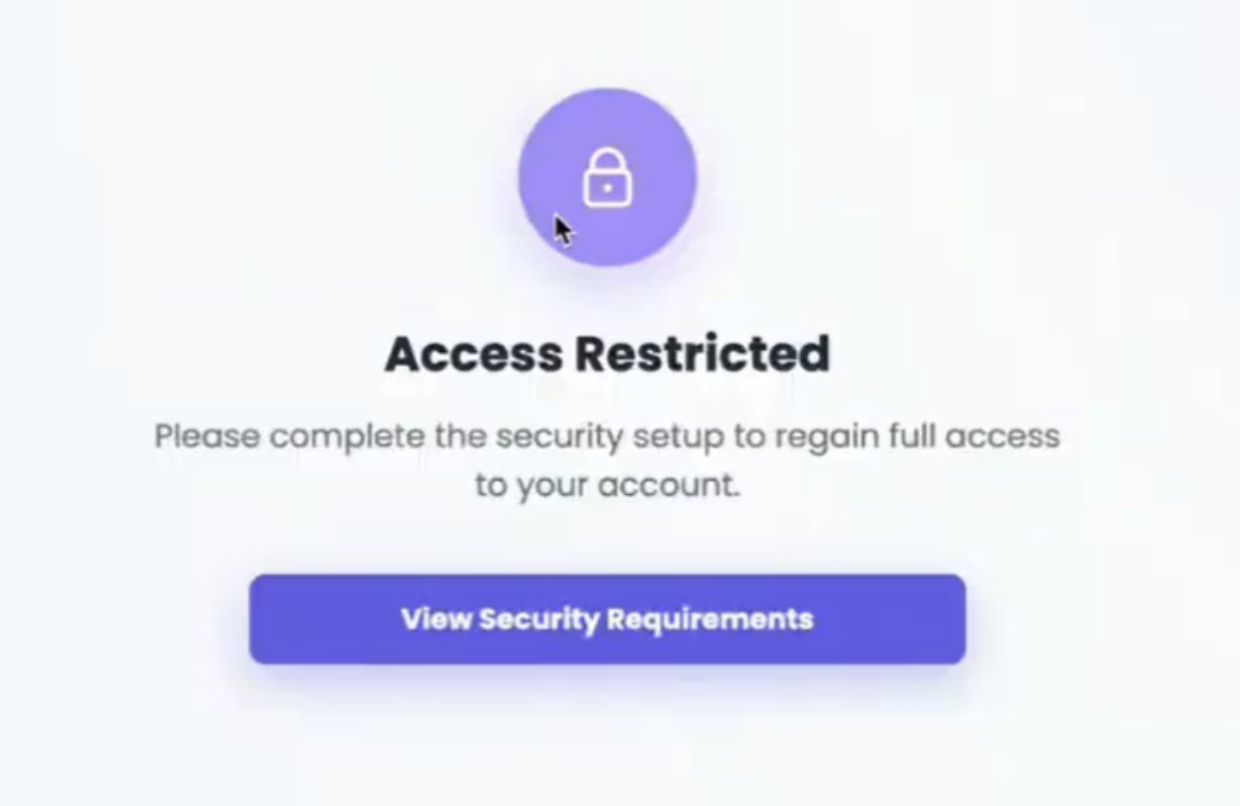
-
Mandatory Login Security Enforcement
a. All users will be forced to complete the following security updates on the Partner Portal, which also apply to all linked accounts on gupshup.io.
b. Multi-Factor Authentication (MFA): Set up MFA using a dedicated authenticator application. Note: If MFA was previously set up via email, it will be automatically discontinued.
c. Password Reset: You must reset your password to comply with the new security standards.
II. Token Generation Security (Client Secret Update)
Client Secret Generation
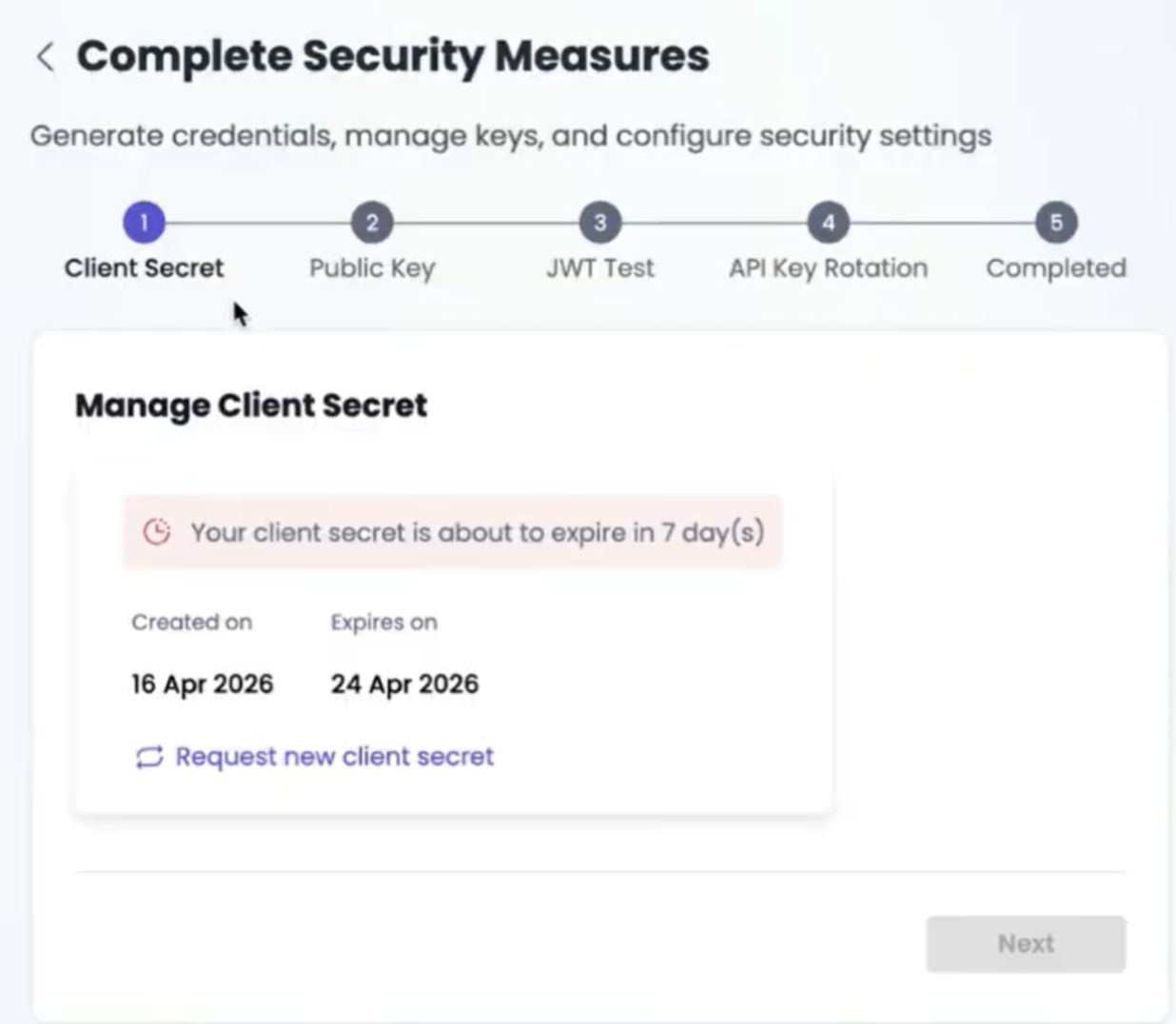
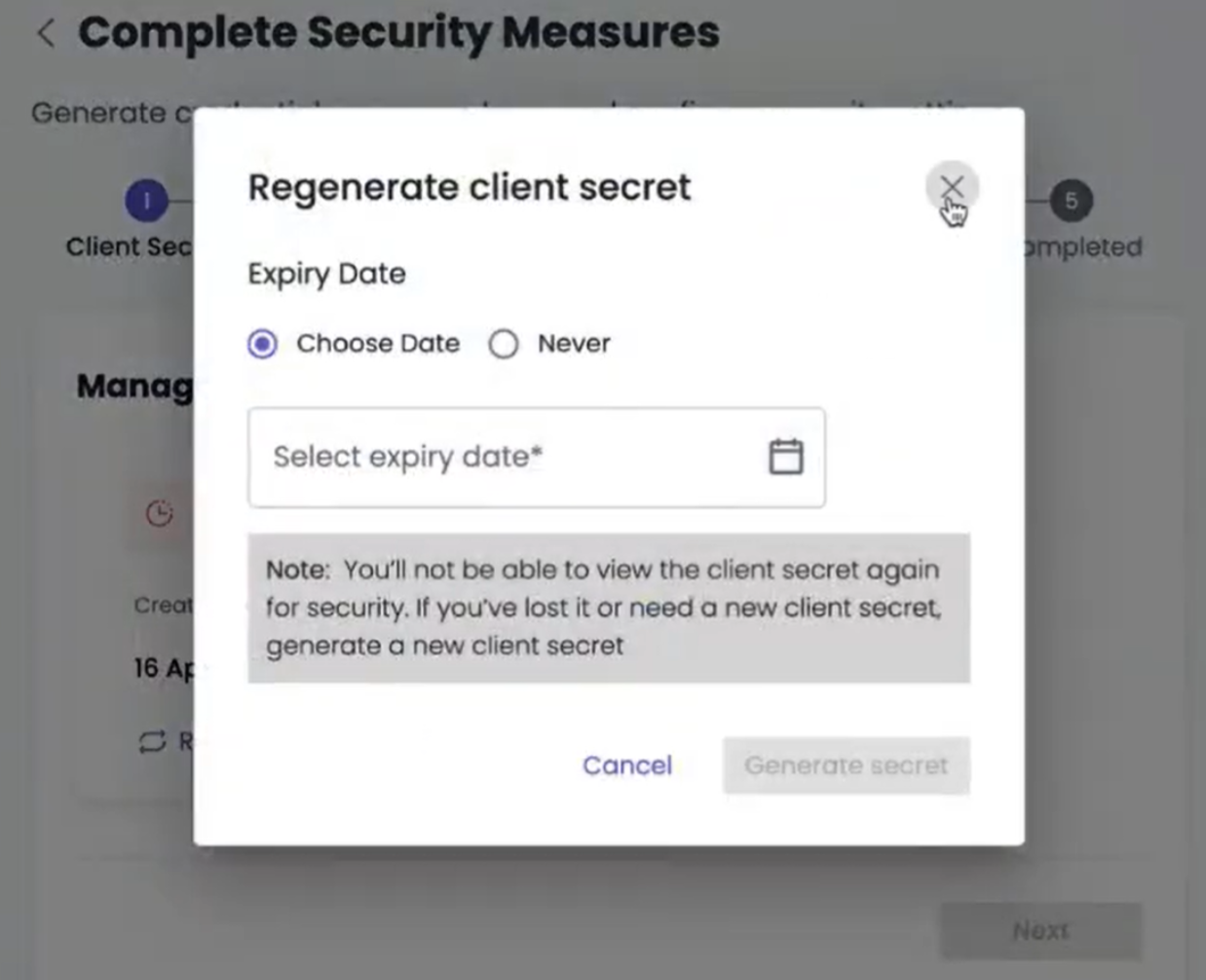
You will be taken to the Client Secret step, where you must generate or regenerate your client secret. The client secret is crucial for generating the short-lived Partner Token.
GUIDANCE FOR USERS
Developers: Generate/regenerate your Client Secret and set the expiry to your desired date. Crucial: From this stage forward, you must use the Client Secret instead of your Username/Password for Partner Token generation.
Non-Developers: Generate your Client Secret and set the expiry for the next day (tomorrow) using the calendar selection.
III. Administrator Security Dashboard and User Management (Admin Only)
A. Access the Security Dashboard
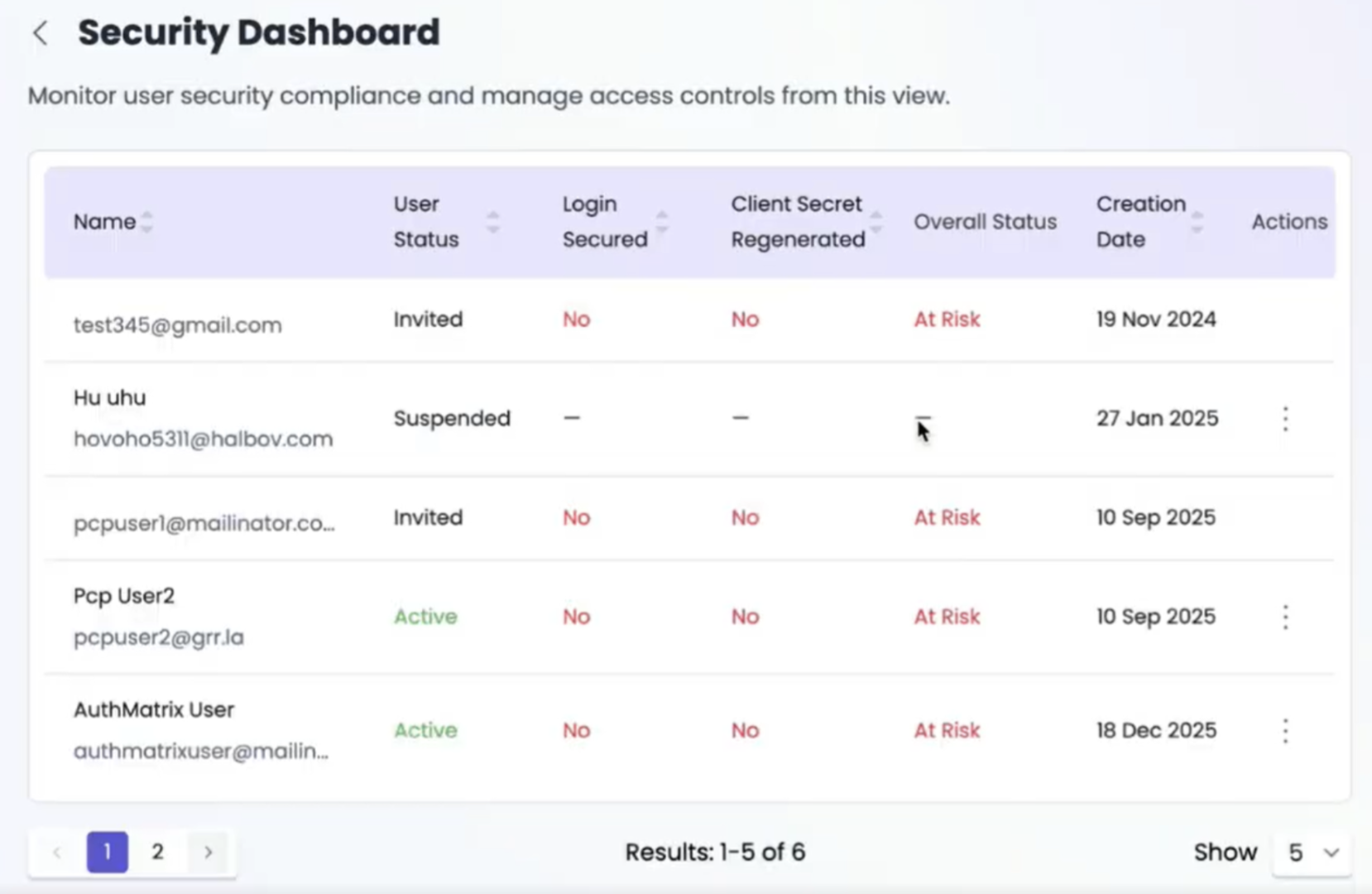
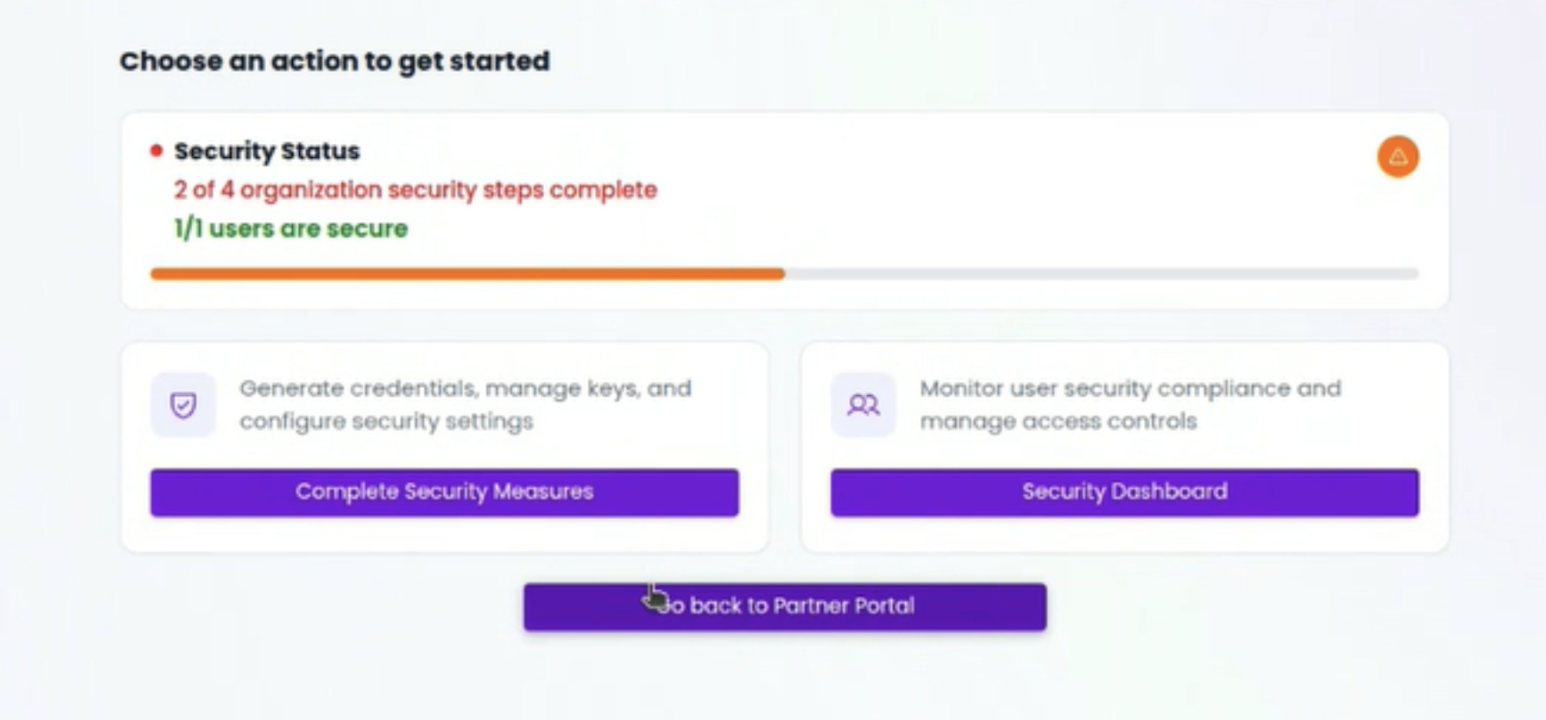
Administrators can complete the mandatory steps and monitor the compliance status of all users by navigating to the ‘Security Dashboard’ section.
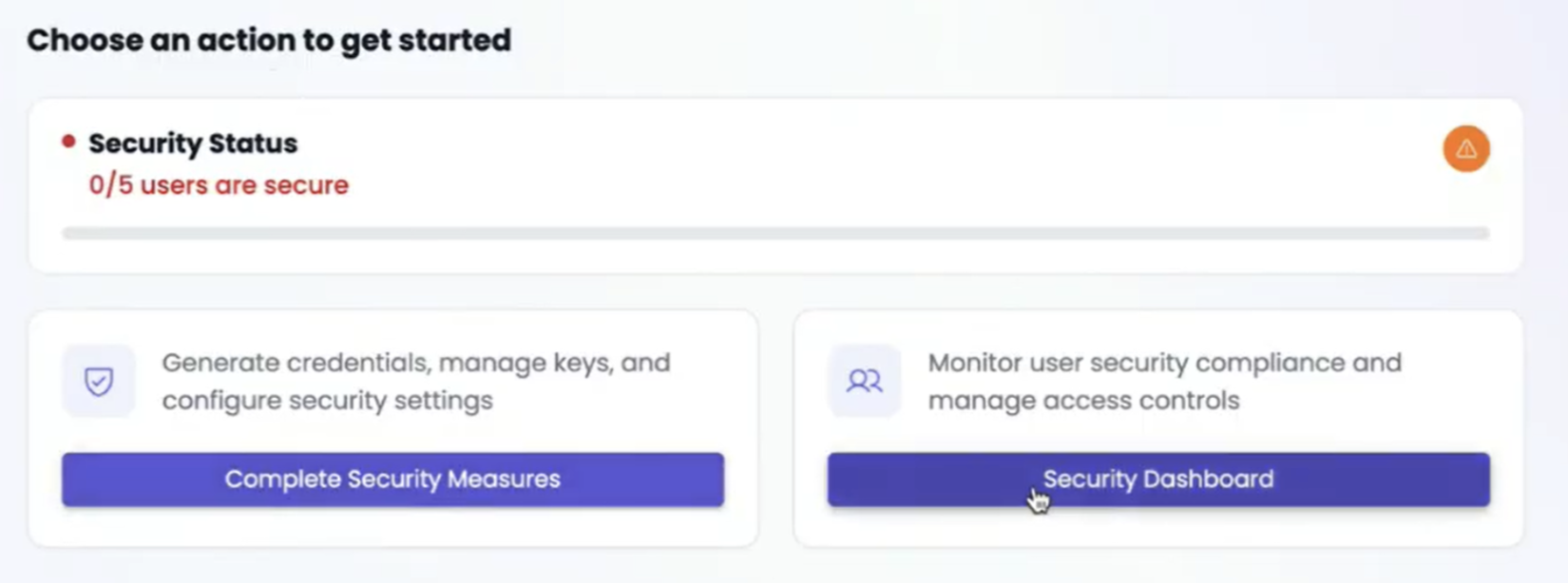
B. Review and Track Security Status
The Admin can review the completion status for both user login security (MFA and password reset) and the Client Secret generation (used for Partner Token generation).
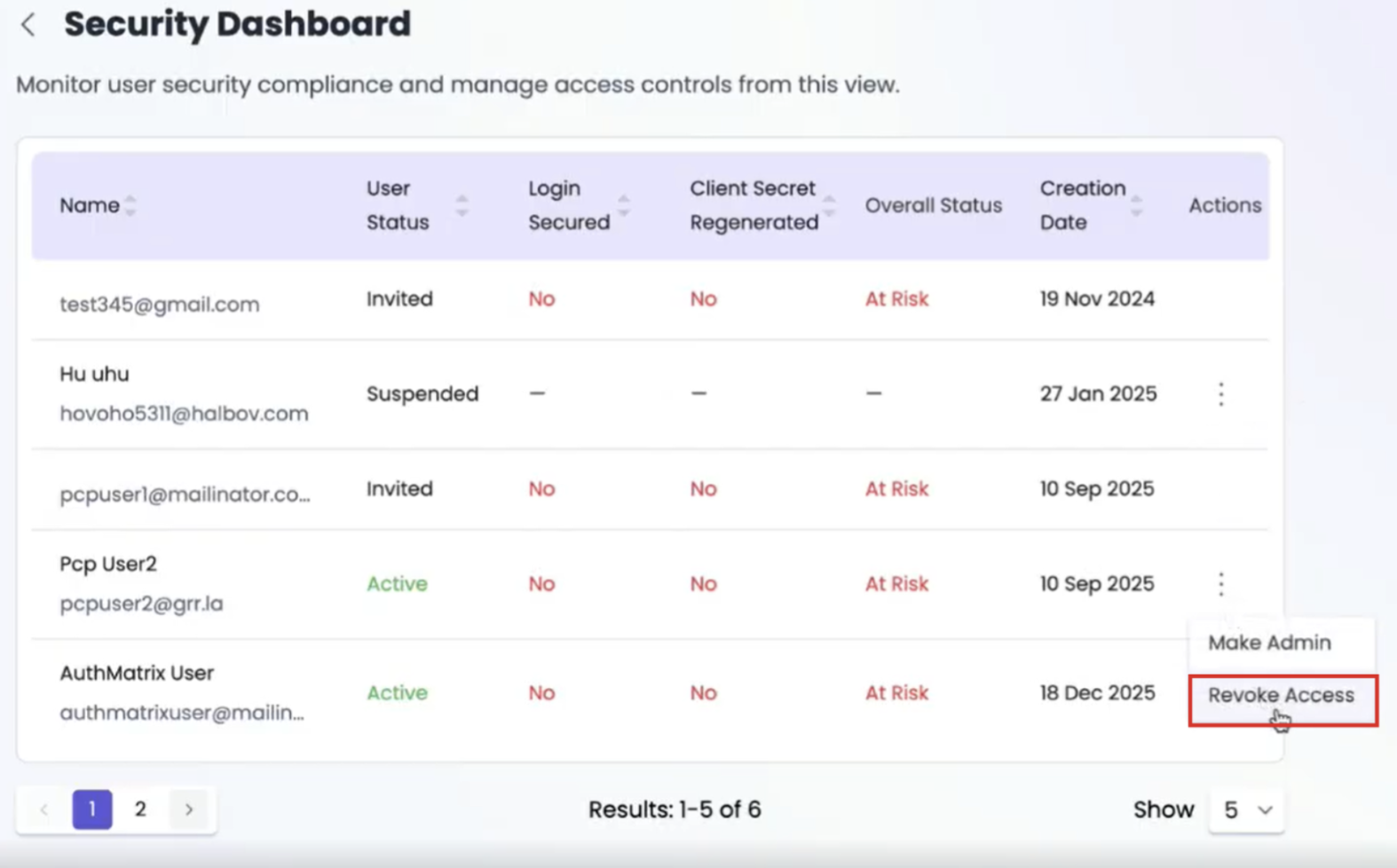
C. Revoke Inactive User Access
It is mandatory to review the user list and revoke the access of any users who are no longer active within the organization or do not require Partner Portal access.
D. Ensure Full User Compliance
Make sure all users have successfully cleared the security status. This step is critical to ensure your accounts are secured and continued access to the Partner Portal is granted.
E. Resumption of Portal Use
After all users have completed the steps outlined above, the entire organization can continue to use the Partner Portal.
IV. Advanced Key Rotation (Admin Action)
Recommended: Administrators should complete the Key Rotation phase within 7 days.
WARNING: This is a disruptive step. Here you must read the document carefully and prepare your systems accordingly before execution.
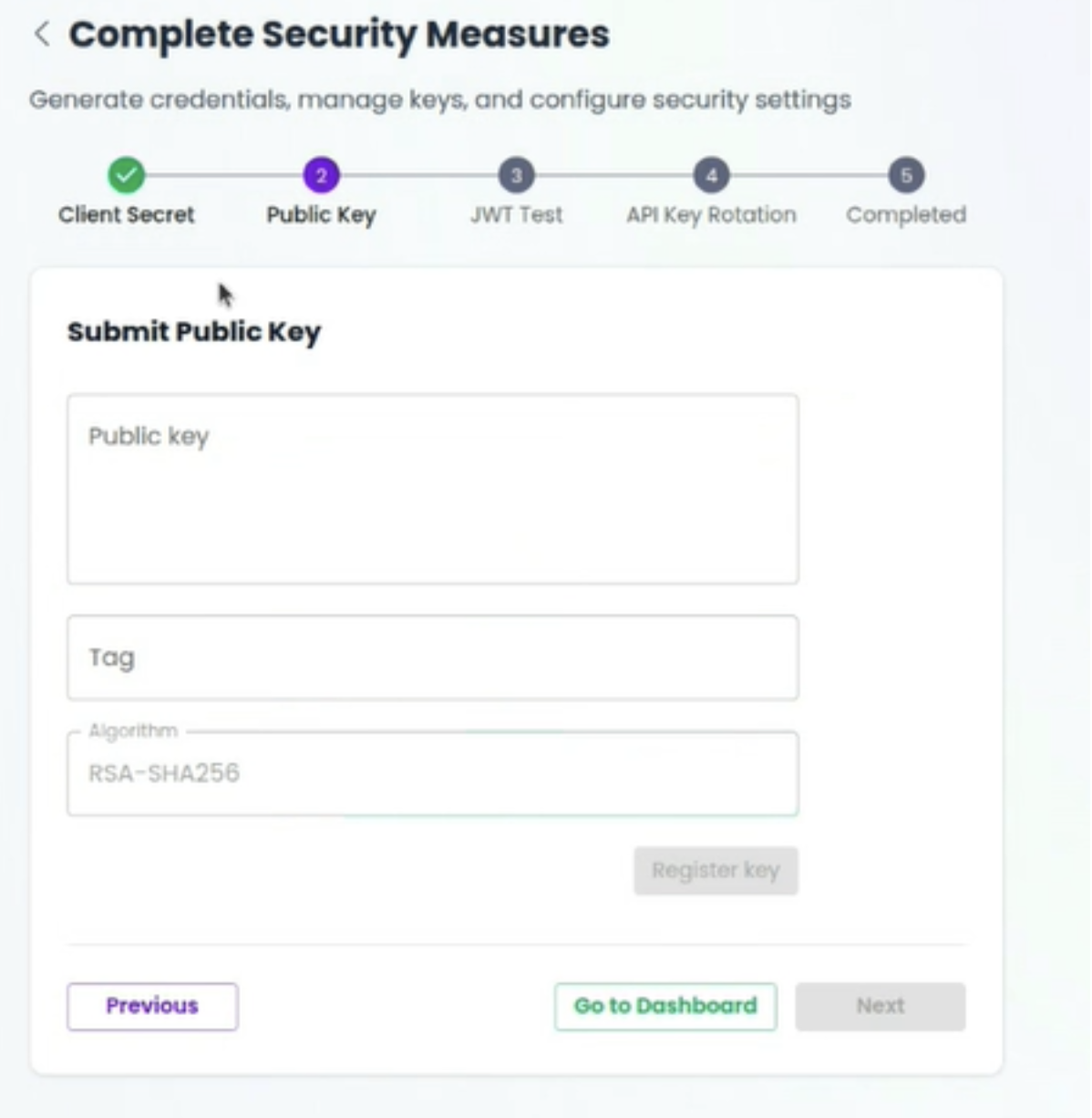
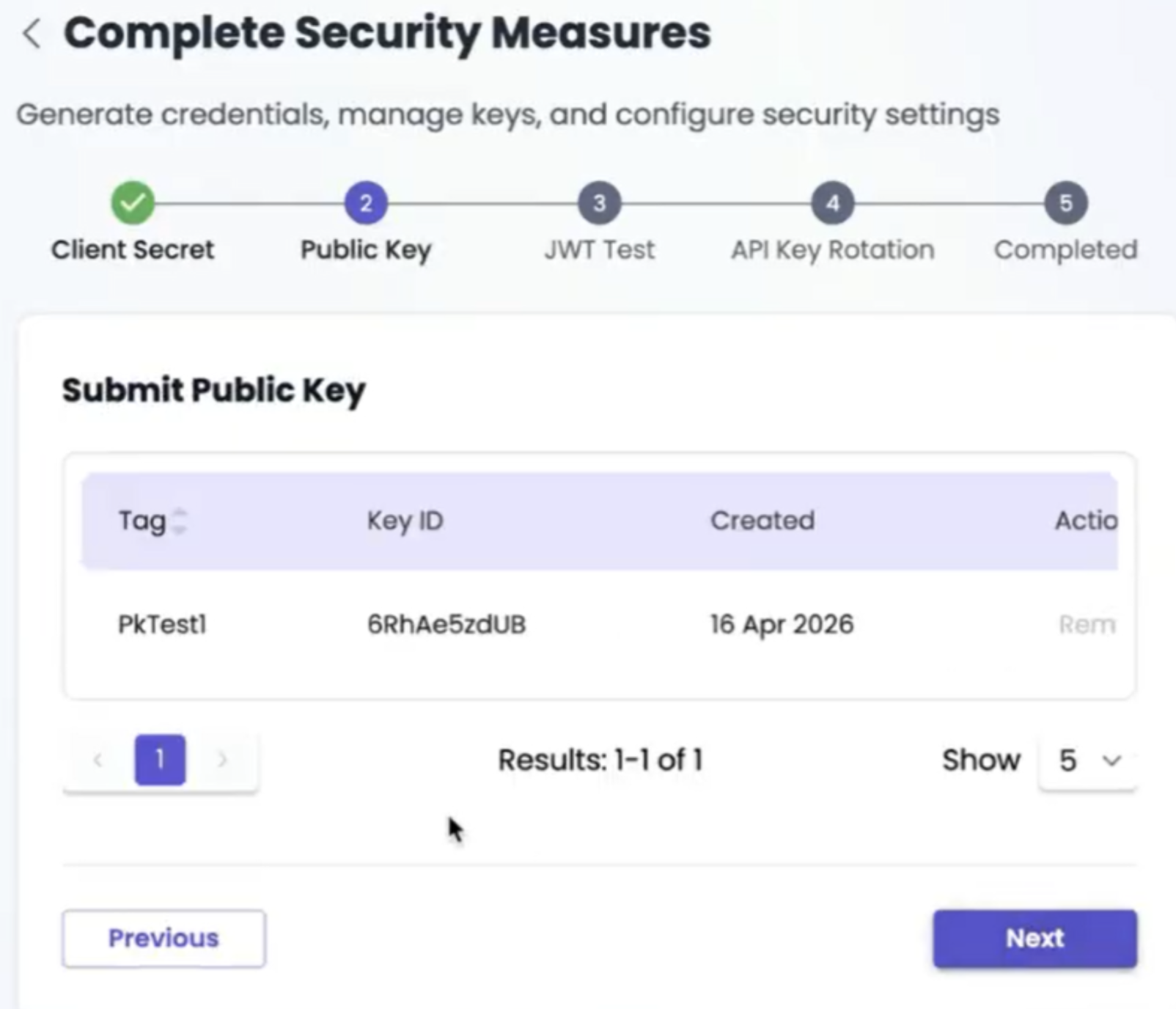
Phase A: Submit Public Key
a. The first action in Key Rotation is submitting a public key to Gupshup
Phase B: Sign JWT Token and Prepare for API Key Rotation
Next, you will sign the JWT token to proceed with API key rotation.
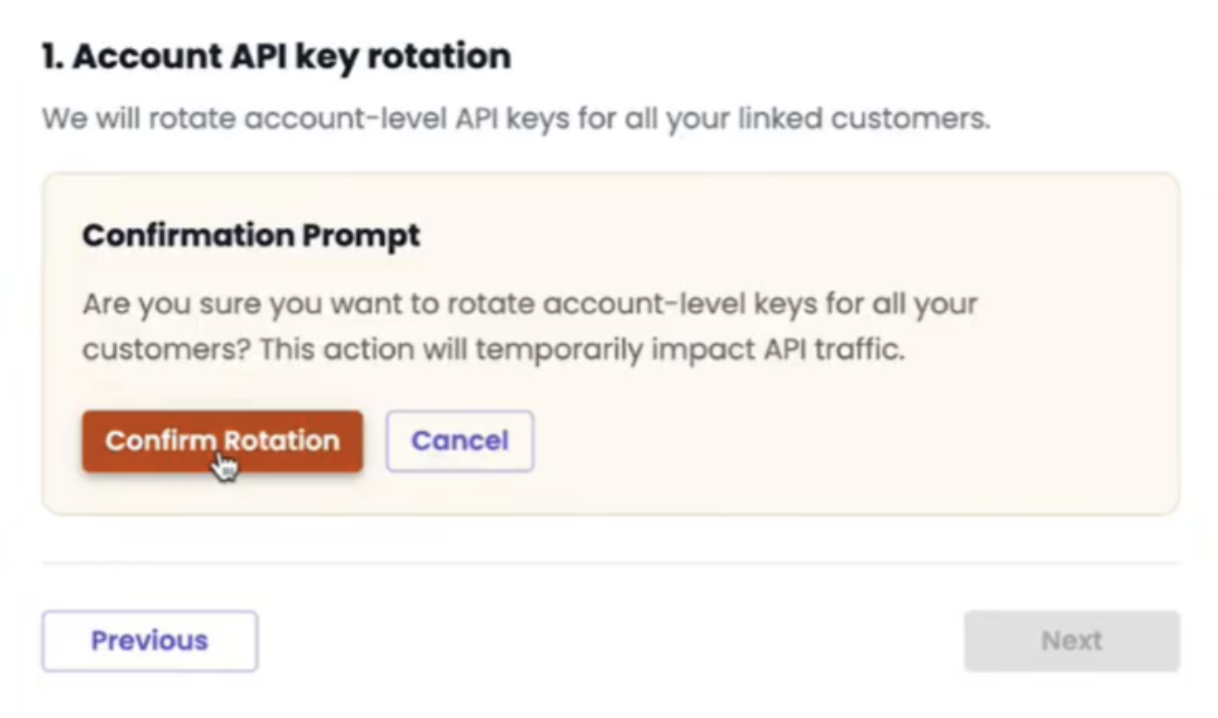
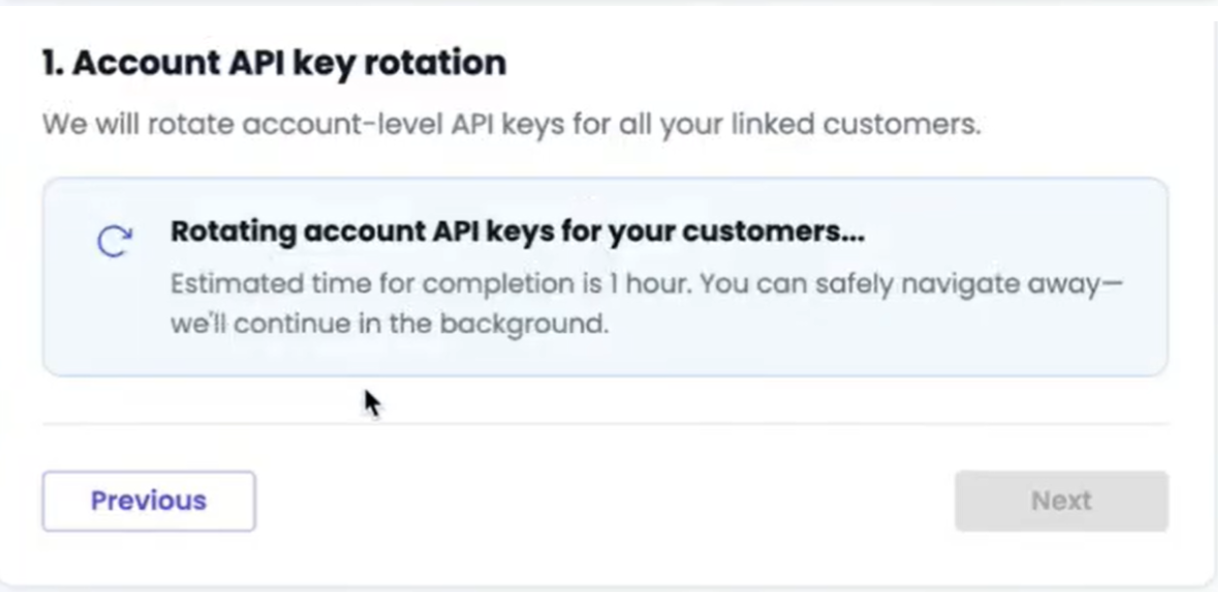
Rotate gupshup.ai Account-Level Keys
For your gupshup.ai account-level keys, you must rotate them in this
Confirm -
Rotation in progress -
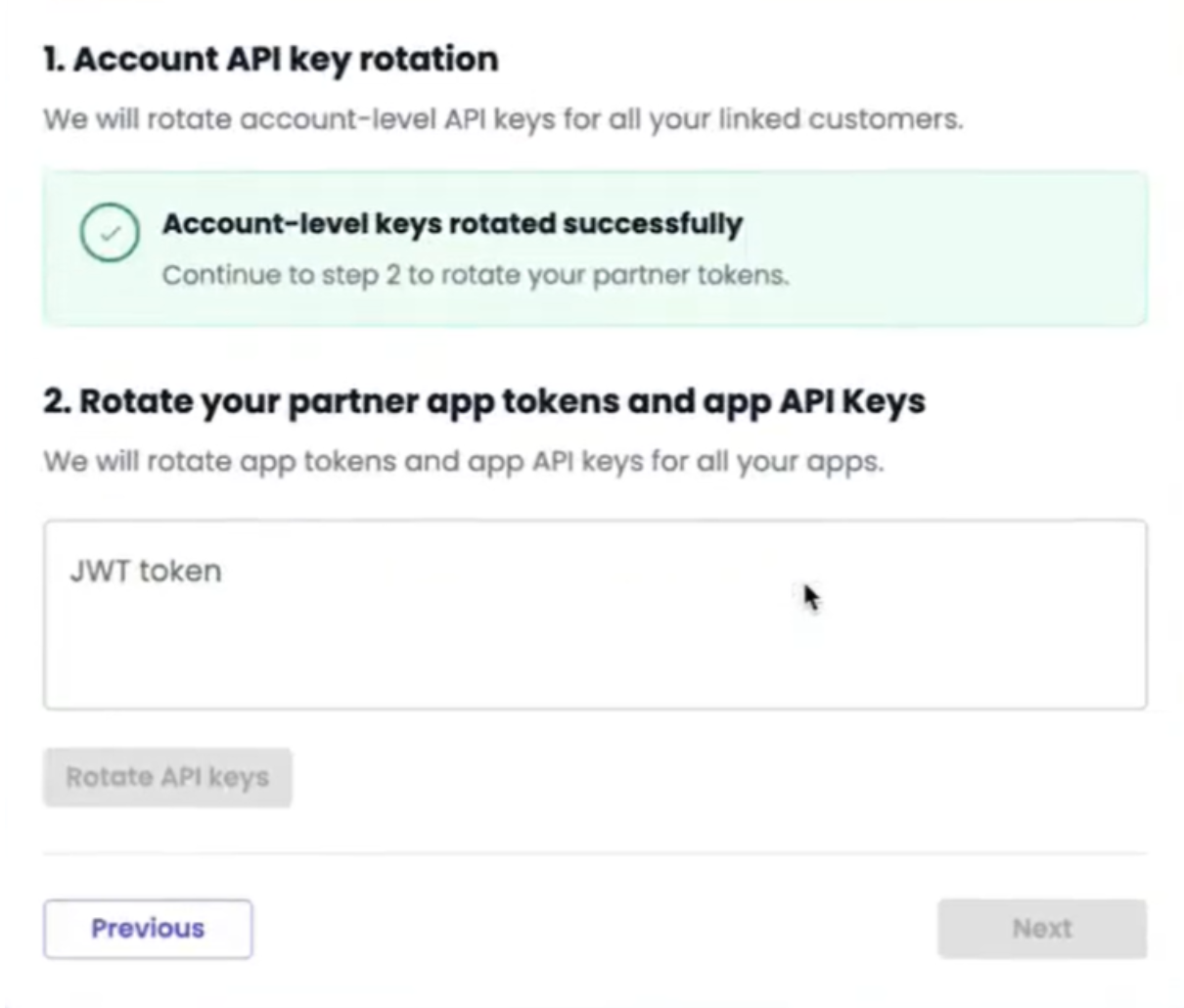
Bulk Rotation of Partner App and App-Level Keys
Once the gupshup.ai account-level key rotation is complete, you can proceed to rotate your Partner App tokens and App-level API keys in bulk using the new JWT token.
V. Post-Completion Security Maintenance
Continuous Rotation Schedule
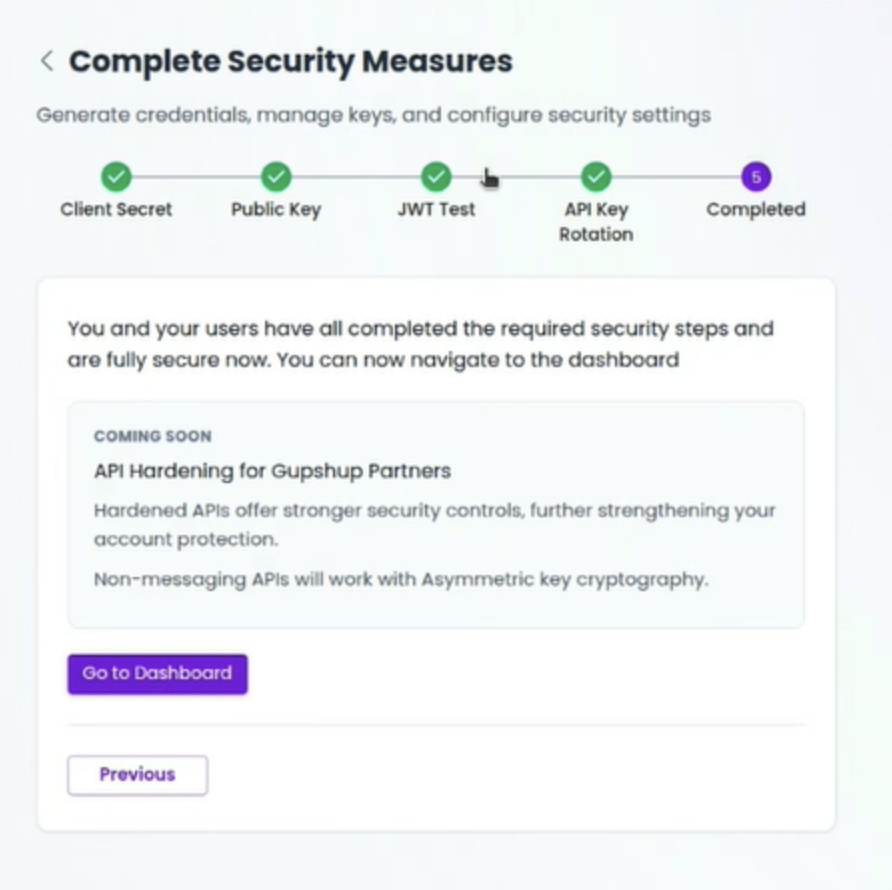
Once all steps are completed, you must establish and adhere to a continuous rotation schedule, ensuring that all API keys and app tokens are rotated at least every 3 months for ongoing security.
Updated 6 months ago