
Obtain User Call Permissions
WhatsApp Cloud API — Call Permission Overview
1. Overview
To place a call to a WhatsApp user, your business must receive explicit user permission.
Call permissions are temporary and can be obtained in three ways:
- Call Permission Request — Send a free-form or templated message requesting calling permission.
- Callback Permission — A WhatsApp user calls the business first (callback setting must be enabled).
- Business Profile Permission — The user grants permission via the business profile.
2. Permission Validity & Limits
- Validity: Temporary permissions last 7 calendar days (168 hours) from user approval.
- Connected Call Limit: Maximum of 5 connected calls per 24 hours, per business phone number.
- Purpose: Protects WhatsApp users from unwanted calls.
3. Call Permission Requests
-
Businesses may proactively request permission via:
- Free-form interactive messages
- Template messages
-
User actions:
- Approve
- Decline
- Ignore (no response)
-
Revocation:
- Users can revoke granted permission at any time.
- Declining doesn’t prevent future permissions until the request expires.
4. Expiration Rules
A permission request expires when:
- The user interacts with a new permission request.
- 7 days after acceptance or decline.
- 7 days after delivery if there is no response.
5. System-Enforced Limits
For Sending Permission Requests
- Max 1 request per 24 hours
- Max 2 requests per 7 days
- Limits reset when any connected call (business-initiated or user-initiated) occurs.
- Limits apply to both free-form and template messages.
For Unanswered or Rejected Calls
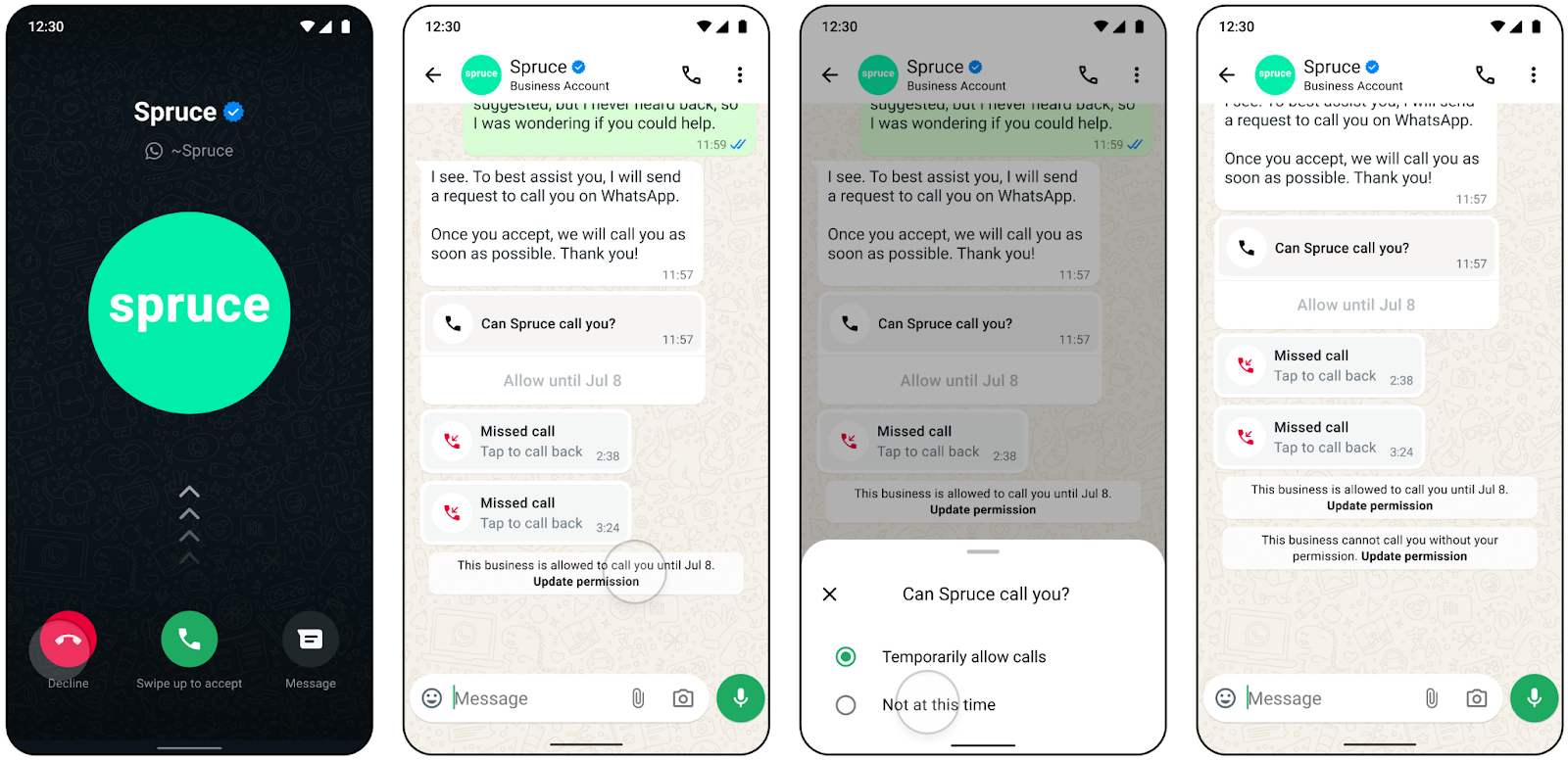
- 2 consecutive unanswered calls → System sends user a message to reconsider permission.
- 4 consecutive unanswered calls → Approved permission is automatically revoked.
6. Key Takeaways
- Always obtain permission before calling.
- Respect the limits to avoid revocation.
- Users have full control: they can approve, decline, revoke, or re-grant permission.
- Permissions are temporary and must be managed within the 7-day validity window.
7. Consecutive unanswered calls
- 2 consecutive unanswered calls — System message for user to update permission
- 4 consecutive unanswered calls — Permissions automatically revoked
- Permission request expires after 7 days — User interacts with request
Updated 5 months ago
Did this page help you?